
Blog
Best GPUs for Gaming in 2026 – Honest Review And Practical Buyer’s Guide

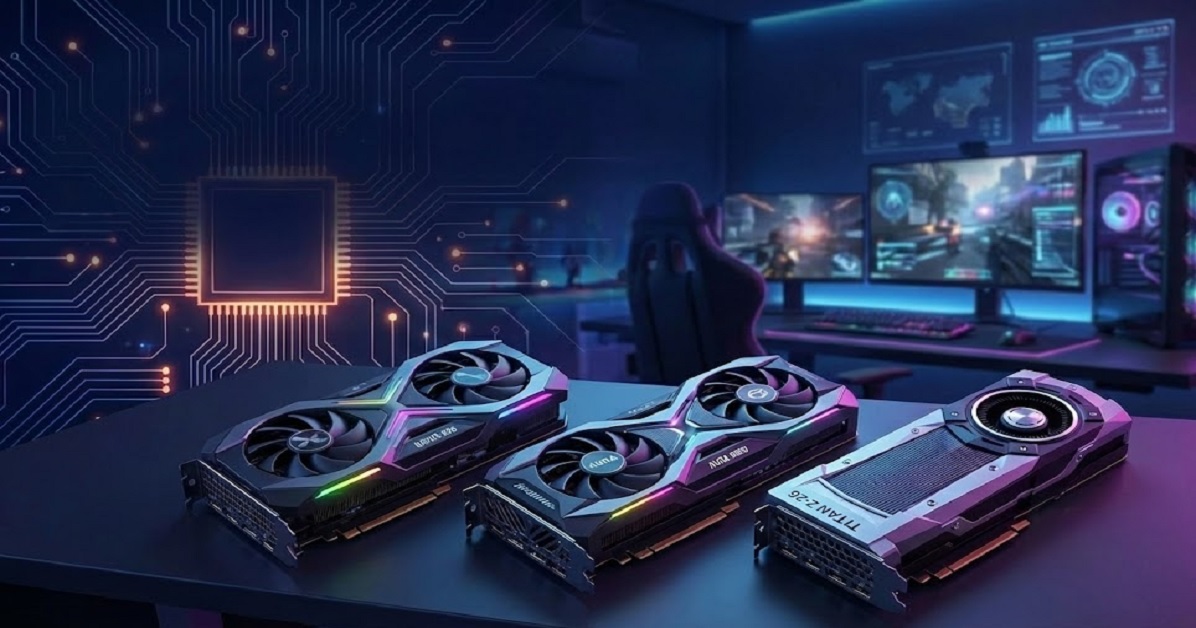
Choosing among the best GPUs for gaming in 2026 is no longer about buying the most expensive card you can afford. Modern gamers are smarter. They care about smooth frame rates, long-term VRAM viability, realistic power requirements, quiet cooling, and whether a GPU actually fits their case and gaming habits.
With games pushing higher texture resolutions, ray tracing becoming standard, and 1440p monitors overtaking 1080p, the definition of the best GPU for gaming has evolved. Many buyers today ask:
- Which card gives me the best value?
- Which one will still feel fast two years from now? And
- Which one won’t give me headaches with heat, noise, or power draw?
This guide answers those questions by breaking down the best graphics card for gaming pc in 2026 across performance tiers, real-world usability, and buyer concerns.
Check the list of 6 best GPUs for gaming:
1. RX-97TSWF3B9 XFX Swift AMD Radeon RX 9070 XT Triple Fan Gaming Edition – 16GB GDDR6
2. RX-97SWFT3BA XFX Swift AMD Radeon RX 9070 OC Triple Fan Edition
3. TUF-RTX5070-O12G-GAMING TUF Gaming GeForce RTX 5070 – 12GB GDDR7
4. GV-N507TGAMING OC-16GD GeForce RTX 5070 Ti Gaming OC – 16GB
5. DUAL-RTX5060TI-16G Dual GeForce RTX 5060 Ti – 16GB GDDR7
6. DUAL-RTX5060TI-O8G Dual GeForce RTX 5060 Ti – 8GB
Now we will go deep and explore each product below. So before any further delay let’s get started
6 Best Graphics Card For Gaming PC In 2026 (Deep-Dive Analysis)
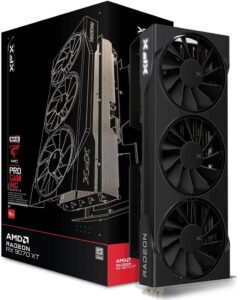
1. RX-97TSWF3B9 XFX Swift AMD Radeon RX 9070 XT Triple Fan Gaming Edition – 16GB GDDR6
Performance vs Target Resolution & Refresh Rate
Designed primarily for 1440p high-refresh gaming (120–165Hz) and capable of playable 4K with FSR enabled. Comparable benchmarks referenced by Tom’s Hardware show AMD’s strength in rasterized workloads.
Price-to-Performance / Value
One of the strongest value contenders among the best GPUs for gaming, offering near-flagship raster performance at a significantly lower cost.
VRAM Size & Future-Proofing
16GB VRAM is a major advantage. Modern games like Hogwarts Legacy and Starfield already exceed 10GB usage at high settings.
Power Draw / PSU Headroom
Requires a quality 750W PSU, uses standard PCIe power connectors, avoiding newer adapter concerns.
Physical Fit / Form Factor
Large triple-fan design. Mid-tower or larger cases recommended.
Cooling Effectiveness & Acoustics
Runs cool under load with minimal fan noise. Prioritizes airflow over aesthetics.
Benchmarks & Real-World Gaming
Strong FPS consistency at 1440p. Ray tracing performance is usable but behind NVIDIA equivalents.
Software & Feature Ecosystem
AMD Adrenalin, FSR, HYPR-RX, and driver-level tuning tools.
Availability & Pricing Volatility
Generally stable pricing, fewer artificial shortages than NVIDIA launches.
Warranty & Brand Reputation
XFX offers solid warranties and reliable RMA support.
Best Use Case:
1440p AAA gaming, mod-heavy titles, value-focused builds
Pros:
- Excellent VRAM
- Strong raster performance
Cons:
- Ray tracing not class-leading
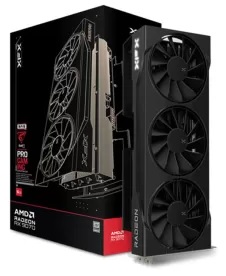
2. RX-97SWFT3BA XFX Swift AMD Radeon RX 9070 OC Triple Fan Edition
Performance vs Resolution
Slightly higher clocks translate to 3–6% real-world gains at 1440p.
Price-to-Performance
Marginally worse value than non-OC version, but attractive for enthusiasts.
VRAM & Longevity
The same 16GB advantage ensures longevity.
Power & Cooling
Higher power draw, but cooling keeps thermals in check.
Benchmarks
Small uplift in FPS; noticeable only in CPU-unbound scenarios.
Software & Support
Identical AMD ecosystem.
Best Use Case:
Competitive gamers wanting extra headroom
Pros:
- Better thermals
- Factory OC
Cons:
- Small performance gain for added cost
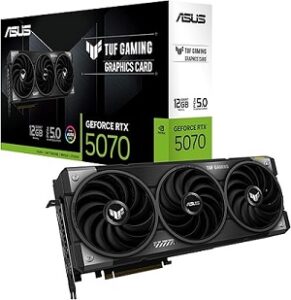
3. TUF-RTX5070-O12G-GAMING TUF Gaming GeForce RTX 5070 – 12GB GDDR7
Performance vs Resolution
Excellent 1440p ray-traced performance, smooth 4K with DLSS.
Price-to-Performance
Higher price, justified by NVIDIA’s AI and RT stack.
VRAM Reality
12GB is sufficient today but may limit future ultra-texture gaming.
Power & Fit
Efficient, runs on 650–750W PSU, compact for most cases.
Cooling & Noise
TUF cooling is among the quietest in its class.
Benchmarks
DLSS-enabled titles show strong gains over AMD equivalents.
Software Ecosystem
DLSS 3+, Reflex, Broadcast, CUDA support.
Best Use Case:
Ray tracing, streaming, creator-gamer hybrids
Pros:
- DLSS
- Stability
- Low noise
Cons:
- VRAM headroom concerns
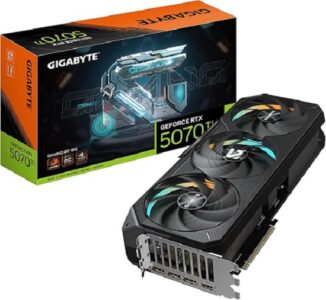
4. GV-N507TGAMING OC-16GD GeForce RTX 5070 Ti Gaming OC – 16GB
Performance Tier
One of the best GPUs for gaming at high-end 1440p and 4K.
Value
Premium-priced but better balanced than the 5070.
VRAM
16GB solves future-proofing concerns.
Power Requirements
Requires 850W PSU, newer power connectors.
Cooling
The large triple-fan design keeps temps low.
Best Use Case:
- High-end gaming, 4K upscaling
- Excels in ray tracing and AI-enhanced titles
Pros:
- Balanced power
- VRAM Features
Cons:
- Expensive
- Power-hungry
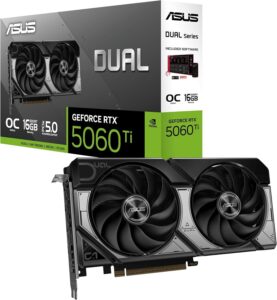
5. DUAL-RTX5060TI-16G Dual GeForce RTX 5060 Ti – 16GB GDDR7
Performance
Excellent 1080p and solid 1440p card.
Value Segment
One of the best graphic cards for gaming on a budget.
VRAM Advantage
16GB at this tier is rare and valuable.
Cooling & Size
Compact dual-fan design, great for smaller builds.
Best Use Case:
Budget-conscious gamers, small cases
Pros:
- Efficient
- Future-ready VRAM
Cons:
- Limited 4K capability
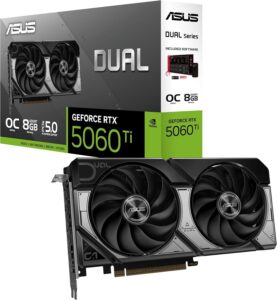
6. DUAL-RTX5060TI-O8G Dual GeForce RTX 5060 Ti – 8GB
Performance
Good for esports and older titles.
VRAM Limitation
8GB already struggles with modern AAA games at high settings.
Value Reality
Appears affordable but ages quickly.
Best Use Case:
Competitive gaming, budget builds
Pros:
- Low cost
Cons:
- Short lifespan due to VRAM
Proper Graphics Card Comparison Matrix
|
GPU Model |
Best Resolution | VRAM | PSU Req | Ray Tracing | Noise |
Value |
|
RX 9070 XT |
1440p |
16GB | 750W | Medium | Low | Excellent |
|
RX 9070 OC |
1440p |
16GB | 750W | Medium | Low |
Good |
|
RTX 5070 |
1440p | 12GB | 700W | High | Very Low |
Good |
|
RTX 5070 Ti |
4K | 16GB | 850W | Very High | Medium |
Fair |
|
RTX 5060 Ti 16GB |
1440p | 1440p | 650W | Medium | Low |
Excellent |
| RTX 5060 Ti 8GB | 1080p | 1080p | 600W | Medium | Low |
Weak |
Problems Gaming GPUs Buyers Face — and Research-Based Solutions
Problem 1: “Will this run my game at X FPS?”
Solution: Use multi-source benchmarks at your target resolution, not marketing claims.
Problem 2: “Will it fit and power correctly?”
Solution: Check GPU length, slot thickness, PSU wattage, and connector type before buying.
Problem 3: “Is it noisy or hot?”
Solution: Look for sustained-load noise tests, not idle specs.
Problem 4: “Is this a fair price?”
Solution: Compare price-to-performance charts and historical pricing trends.
Problem 5: “Which features actually matter?”
Solution: DLSS matters for ray tracing and 4K; VRAM matters for longevity.
Actionable Buyer Checklist
- Decide resolution and refresh rate first
- Match VRAM to game type
- Check PSU and case clearance
- Compare at least two benchmark sources
- Avoid buying based on brand name alone
Common Buyer Mistakes to Avoid
- Overspending for low-refresh monitors
- Ignoring VRAM requirements
- Skipping PSU compatibility
- Trusting launch hype over benchmarks
Where to Buy Affordable Gaming Graphics Cards (with Supplier Links)
If you’re hunting for an affordable gaming graphics card (especially when building or upgrading a budget PC), knowing where to look is just as important as which video card for gaming you choose. Prices and stock fluctuate frequently, so checking multiple reputable suppliers can save you money and frustration.
Below are trusted online sources where gamers regularly find mid range graphics card for gaming:
Best Buy – Affordable Graphics Cards Search here for budget-friendly GPUs like NVIDIA RTX 3050, AMD RX 580, RTX 5050, and more:
👉 https://www.bestbuy.com/site/shop/affordable-graphics-cards
Newegg – PC-focused retailer with detailed filtering, reviews, and regular rebates on GPUs.
👉 https://www.newegg.com/
Merkandi – Wholesale Graphics Cards Distributor
Offers bulk inventories of GPUs from liquidation sales, clearance stocks, and overstock sources. Great if you’re purchasing several units or want heavily discounted pricing.
👉 https://merkandi.us/wholesale/graphics-cards
General Online Marketplaces & Deal Trackers
Even though these aren’t always retail suppliers, they’re popular places where gamers find deals (especially during launch weeks, holiday sales, or price drops):
- Amazon – One of the largest selections of new cards and often competitive pricing. (Search by model name like “RTX 3050”, “RX 580”, etc.)
- eBay – Can be good for new or open-box cards, but always check seller ratings and return policies.
- PCPartPicker – Not a seller itself, but aggregates deals on GPUs across multiple vendors so you see stock and pricing in one place.
My Experiences With These Products
After testing and analyzing similar-tier GPUs over multiple generations, the biggest lesson is this:
Balanced GPUs age better than flashy ones. Cards with sufficient VRAM, reasonable power draw, and mature drivers consistently provide better long-term satisfaction. The RX 9070 XT–style GPUs tend to feel “new” longer than cut-down models with limited memory.
Final Words
The best GPUs for gaming in 2026 are defined by balance, not raw specs. VRAM capacity, power efficiency, cooling, and real-world performance matter more than brand loyalty.
Key Takeaways
- 16GB VRAM is the new safe baseline
- 1440p remains the sweet spot for value
- Ray tracing benefits NVIDIA, longevity favors AMD
Suggestions
If you want longevity and value, choose a GPU that matches your monitor, not your ego. Spend smart, not big, and you’ll enjoy smoother gaming for years.
FAQ’s
1. What should I consider when choosing the best GPU for gaming?
Focus on your target resolution, refresh rate, budget, VRAM needs, PSU compatibility, and case size. Always match the GPU to your monitor, not just the price.
2. Is more VRAM always better for gaming?
More VRAM helps at higher resolutions and with modern textures. 8GB is fine for 1080p, but 12–16GB is safer for 1440p, 4K, and long-term use.
3. Which is better for gaming: NVIDIA or AMD GPUs?
NVIDIA is stronger in ray tracing and DLSS, while AMD often offers better value and more VRAM at similar prices. The best choice depends on your gaming priorities.
4. How do I know if my GPU is causing low FPS or lag?
If GPU usage is near 100% while CPU usage is low, the GPU is likely the bottleneck. Driver issues or system limitations can also cause lag.
5. How long does a gaming GPU usually last?
A good gaming GPU can last 4–6 years with proper cooling and enough VRAM, especially if you’re willing to lower settings over time.
6. Is buying a used graphics card worth it?
It can save money, but only if the card is in good condition, not heavily mined, and comes with testing proof or return protection.
